HQ Support Tools Page
IMPORTANT: If you are unsure what a setting does, please do not change it, and please ask for help
The HQ support tools page is a resource that allows support, admin, operations, and success to change configuration options for a vendor. It has settings related to excise tax, verification, and more. This article serves as a guide to walk through some of those settings
Link: https://app.tokenoftrust.com/hq/supportOnly/tools
Free Trial Extension
The free trial extension allows the free trial for the vendor to be extended 7 days from the current date. It can be used multiple times

Order Syncing
Order syncing allows the user to sync orders from an integration back to Token of Trust HQ for reporting and excise tax purposes. Dates are inputted and then a confirmation is shown. It can be used every 5 minutes. Supported integrations are Shopify and Wordpress/Woocommerce with BigCommerce order sync support coming soon

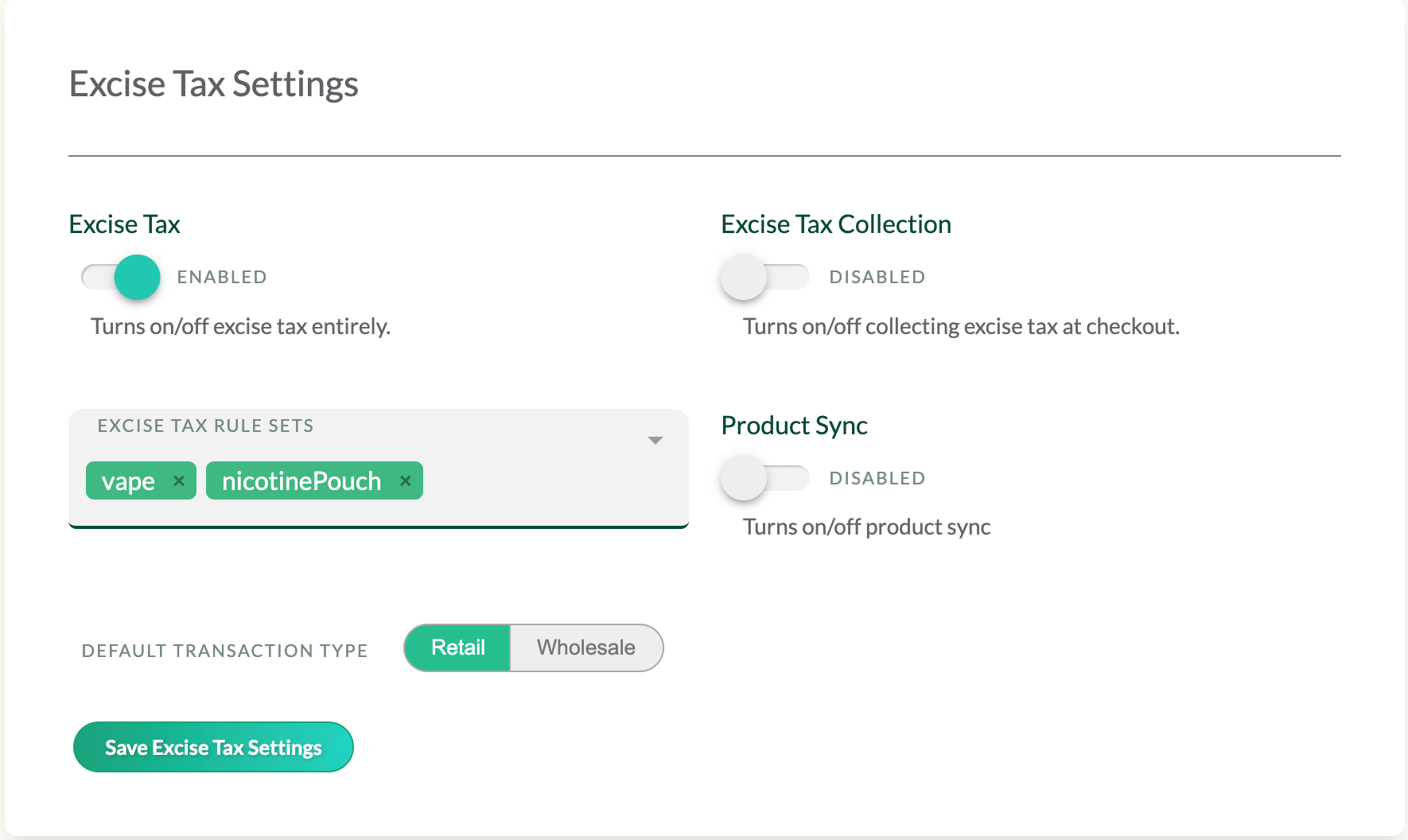
Excise Tax Settings
The excise tax settings area allows for a couple things.
- Enabling/disabling excise tax turns off excise tax entirely, and additionally removes that tab from HQ.
- Collection turns on/off the actual tax collection at checkout.
- The excise tax rule sets section allows you to specify which excise tax rule sets should apply to the vendor, such as if they want to collect taxes on pouches or not
- Product Sync toggle is used to enable/disable product sync
- Default Transaction Type is used to switch what the excise tax ruleset should apply to (if the vendor is a wholesaler, they will want wholesale rules to apply, and if they are a retailer, they will want retail).
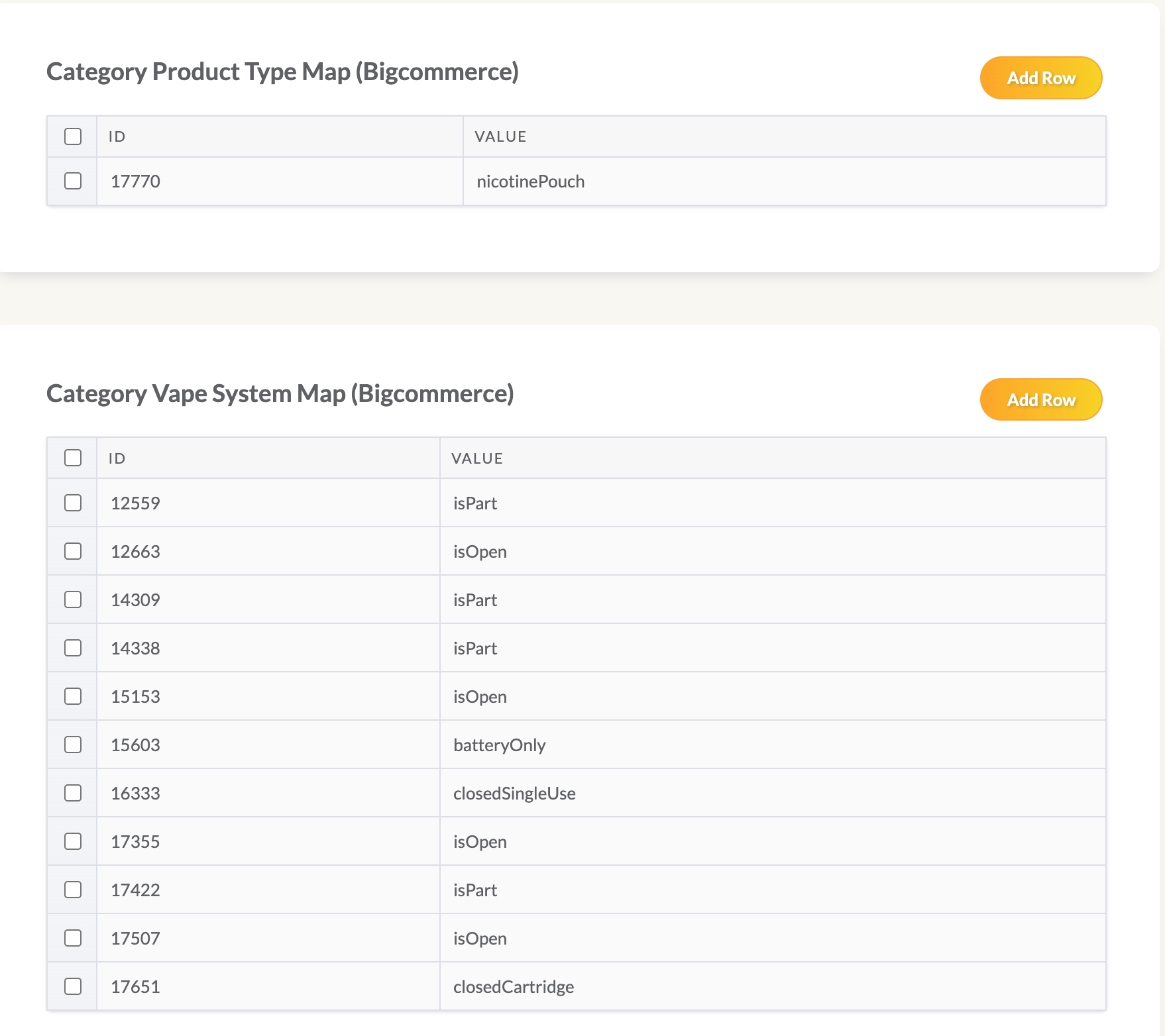
BigCommerce Category Mapping
Bigcommerce category maps are used for BigCommerce Product Sync to tell HQ where each product category comes from in BigCommerce. If the vendor is not BigCommerce, this section is not applicable
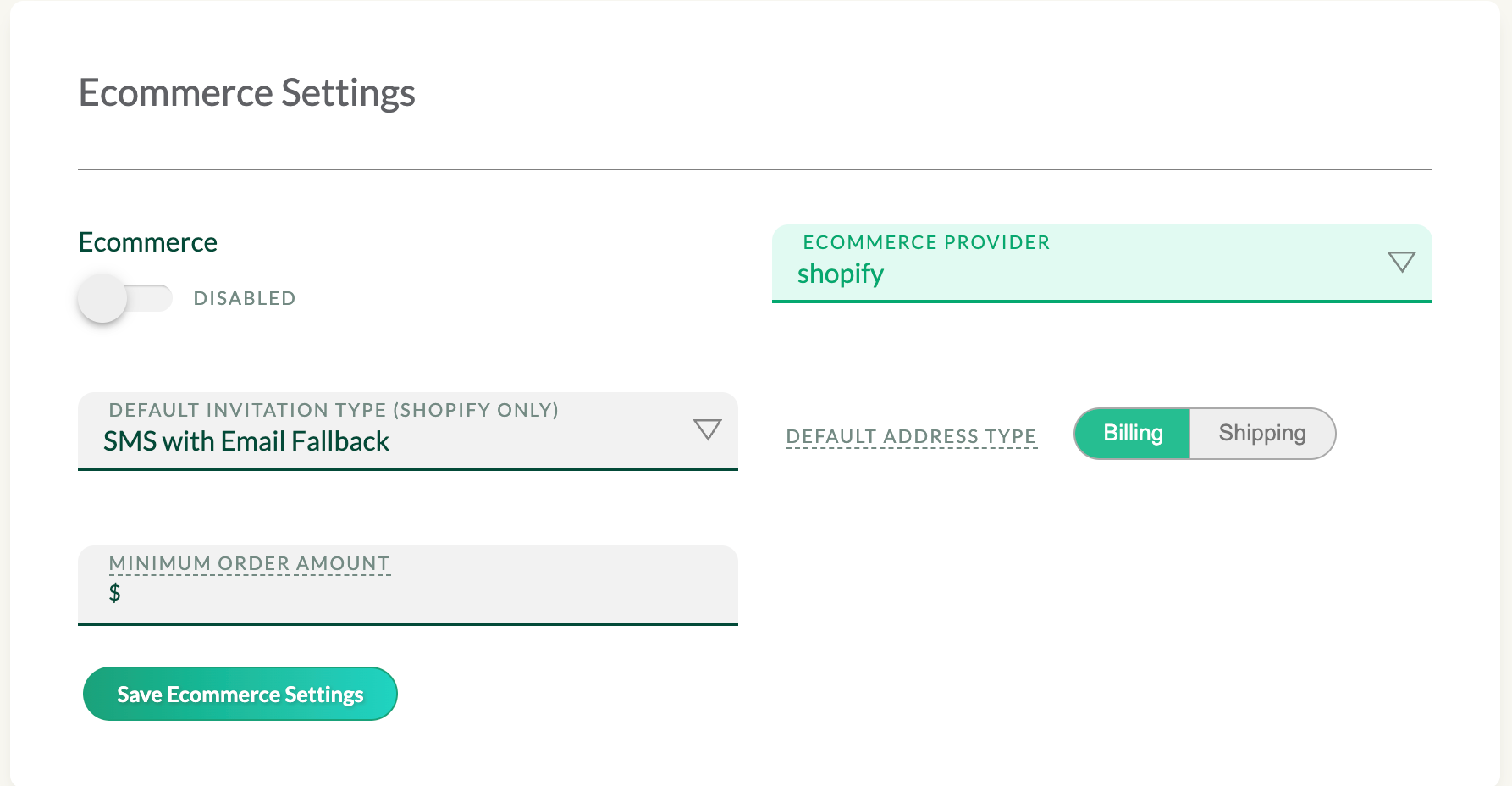
Ecommerce Settings
Ecommerce settings is used to control settings related to verification.
- Enabling/disabling ecommerce will enable/disable verifications for the vendor. Recommend against doing it has it has some adverse side effects.
- Ecommerce provider is used to tell the TOT system which integration the vendor is on, so we can properly listen to data on the back end
- Default invitation type (Shopify only) is used to control post checkout verifications on Shopify and selecting how the verification invite should be sent out.
- Default address type is used for verification to determine which address we should use for the verification process
- Minimum order amount is used to set what price the order should be in order to trigger a verification
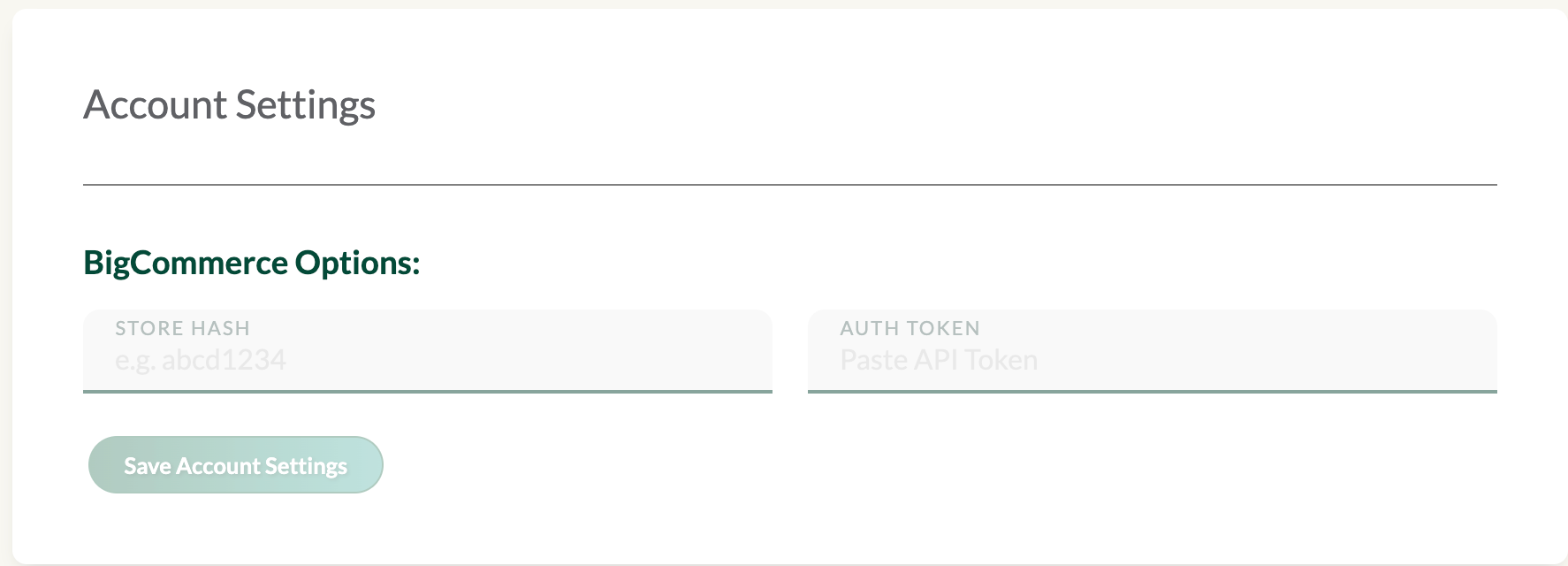
Account Settings
- Currently the only thing in account settings for now is setting up the Bigcommerce store hash and auth token, which is used to connect to a Bigcommerce store. If the vendor is not BigCommerce, then it is not applicable